Sign in to your home account to reach your dashboard, create tests and see your test history.
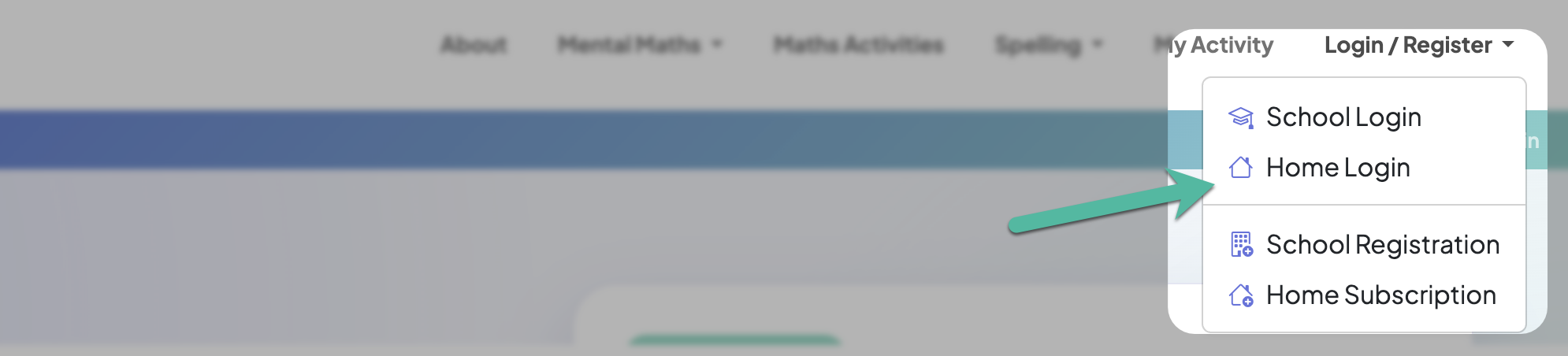
1. Go to the sign-in page
Open Login/Register in the menu at the top of any page and choose Home Login.
If you've saved the BrainBuzz app to your phone or tablet, just tap its icon instead.
2. Enter your details
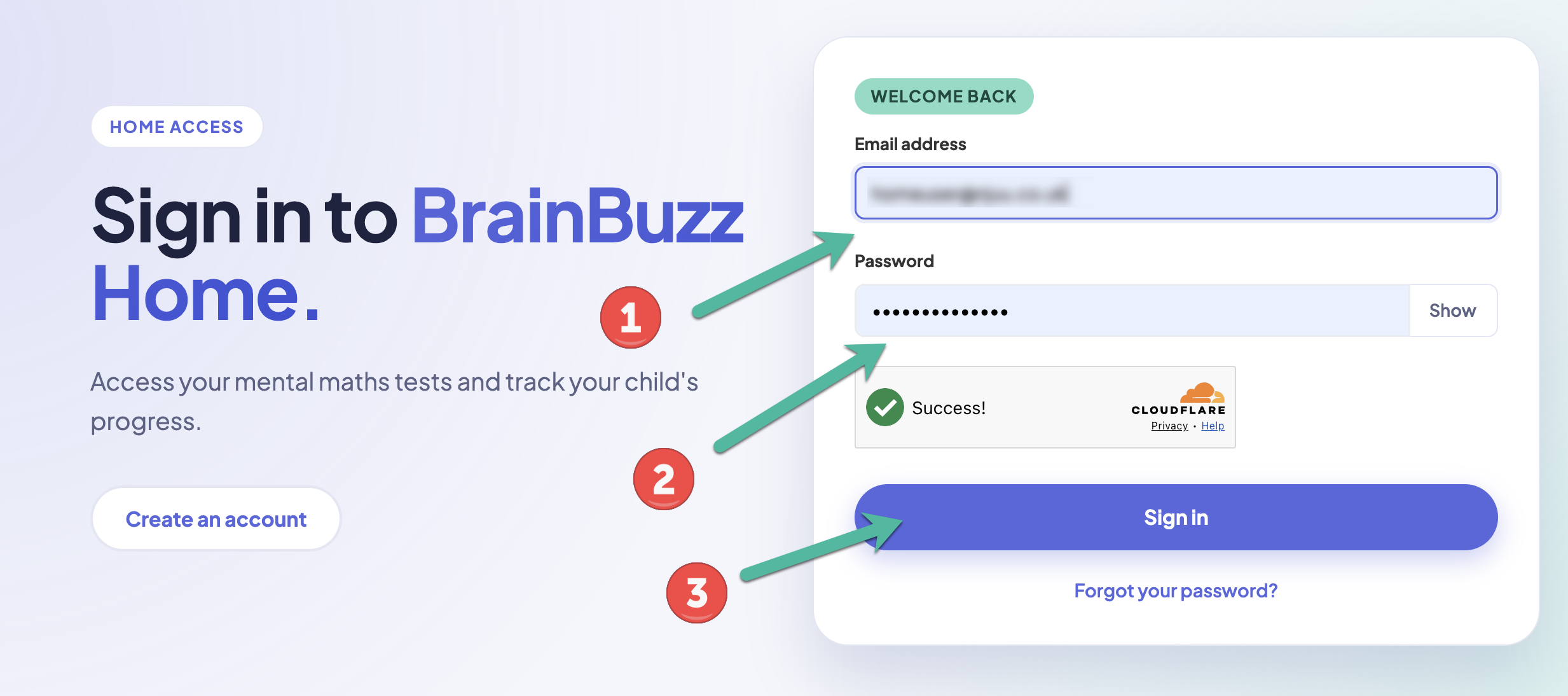
Enter the email address and password you used when you created your home account, complete the quick security check, and click Sign in.
3. Your dashboard
You'll go straight to your dashboard, which tells you whether your subscription is active. From here you can view and create tests, play your current test, see your test history, and open My Account.
See Your home dashboard for more.
Forgotten your password?
Click Forgot your password? on the sign-in page and enter your email address. We'll send you a link to choose a new password on the BrainBuzz website. This works the same way from the app.
See Forgotten your password for more help.
Teachers, take note
A home account is separate from a school account. If you're a teacher who also has Home Access, sign in to your home account here, and to your school account at brainbuzz.co.uk/school/login.