Home Mental Maths › Billing
Cancelling your subscription
BrainBuzz
Help Centre · brainbuzz.co.uk
You can cancel your Home Access subscription at any time.
How to cancel
- Sign in on the BrainBuzz website and open My Account.
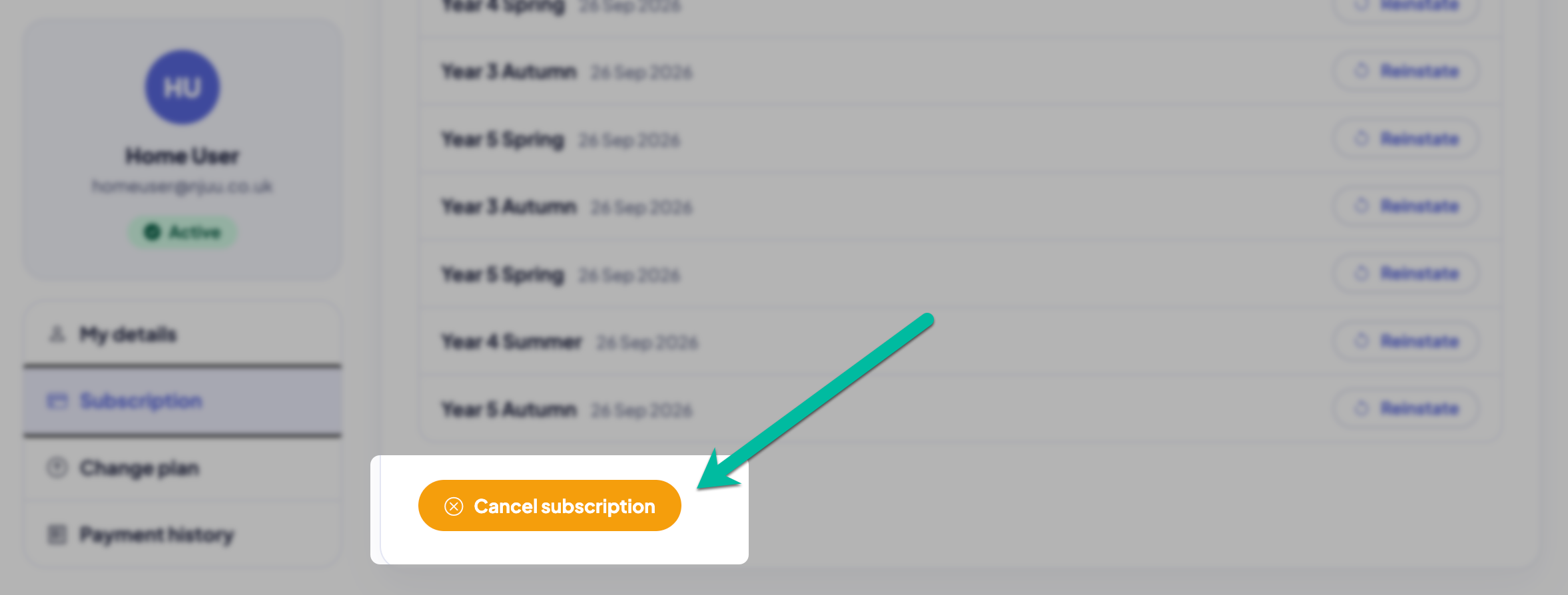
- Choose Subscriptions from the menu on the left.
- Press the Cancel Subscription button.
Keep or delete your account
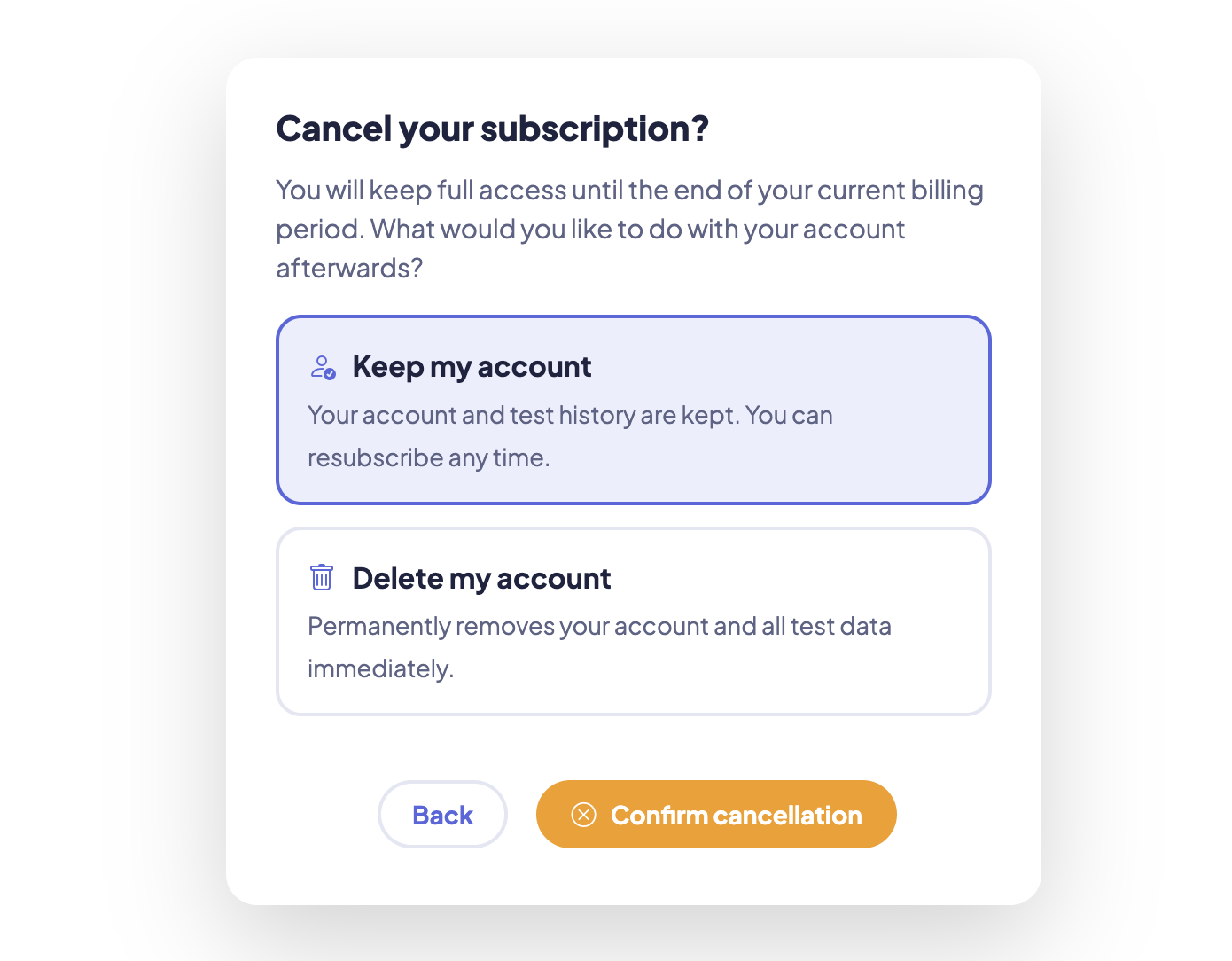
You'll be asked what you'd like to happen to your account afterwards:
- Keep my account – your account and test history are kept, and you can resubscribe at any time.
- Delete my account – your account and all your test data are permanently removed straight away. This can't be undone, and you'd need to register again to come back.
Make your choice and press Confirm cancellation. You'll receive an email confirming the cancellation.
What happens next
- You keep full access until the end of the period you've paid for.
- You won't be charged again.
- Changed your mind before the end date? You can undo the cancellation from My Account – see Reinstating your subscription.