Mental maths for home.
Audio-based mental maths tests your child can do at home, drawn from the same curriculum question bank used by BrainBuzz school tests. Try a free test every term, or subscribe to make your own.
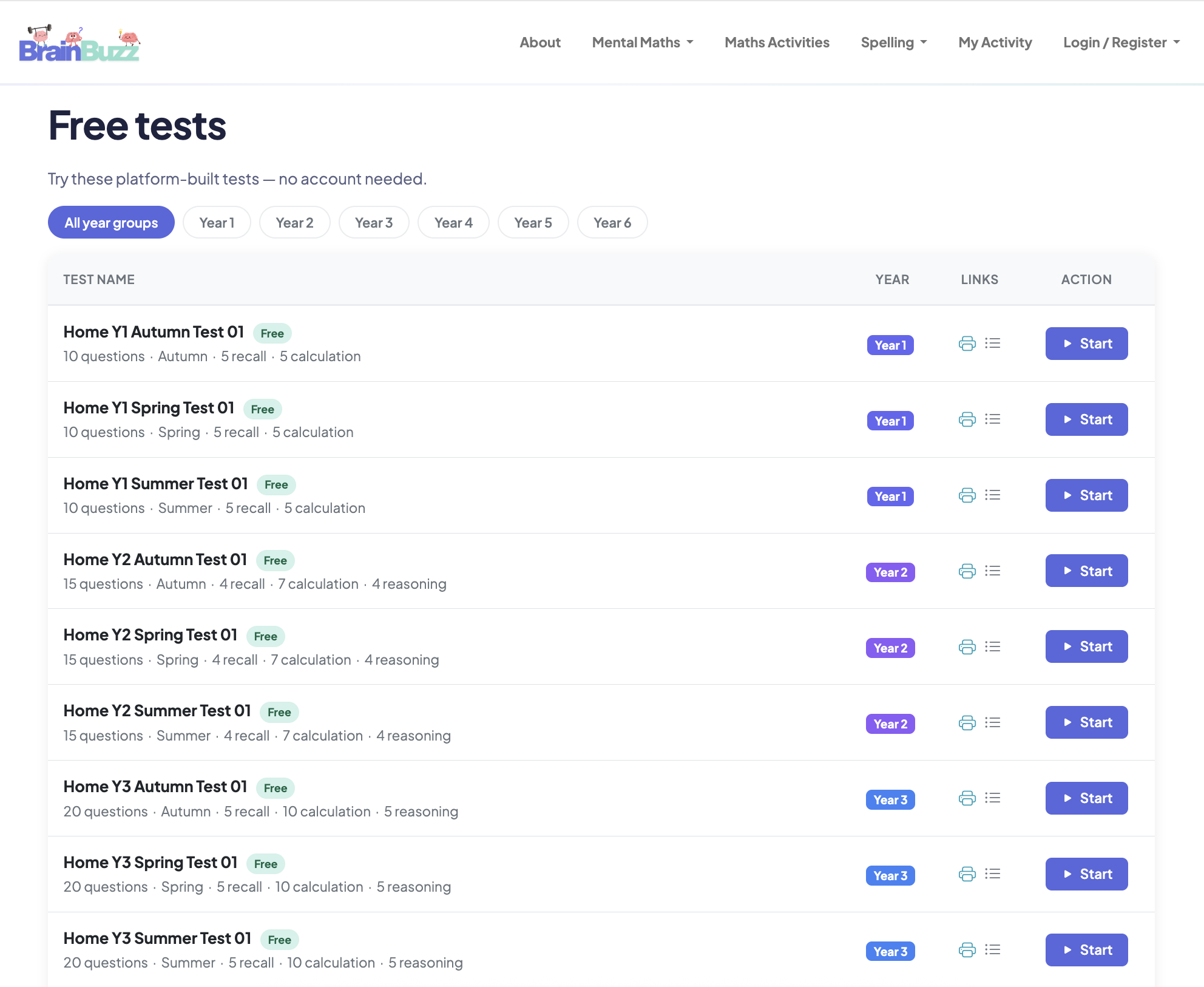
One free test per term
For every year group, with no account needed.
See the free testsSubscribe to generate tests for any year group and term, from £3.99 a month.
Why practise mental maths at home?
Mental maths skills are not built overnight. They grow through regular practice over time, a little and often, and that steady practice shows in the classroom.
Confidence in class
When questions feel familiar, mental maths in the classroom feels less daunting, and children are readier to put their hand up.
Resilience
Regular practice teaches children to stay calm, move on from a tricky question and finish strongly.
Stronger mathematicians
Quick recall and secure calculation skills free up thinking space for harder problems, and support everything else in maths.
How BrainBuzz helps
- Questions are read aloud with thinking time, like the mental maths tests used in school
- The same question bank as BrainBuzz school tests
- Every year group, Years 1–6, with three levels of challenge in every test
- An answer sheet and transcript for every test, so you can talk it through afterwards
Try before you subscribe
Use the free tests to see how it works. There is one free test per term for every year group. Pick a year and press play.
- One free test per term, for every year group
- Audio questions with thinking time
- Three levels of challenge in every test
Why subscribe?
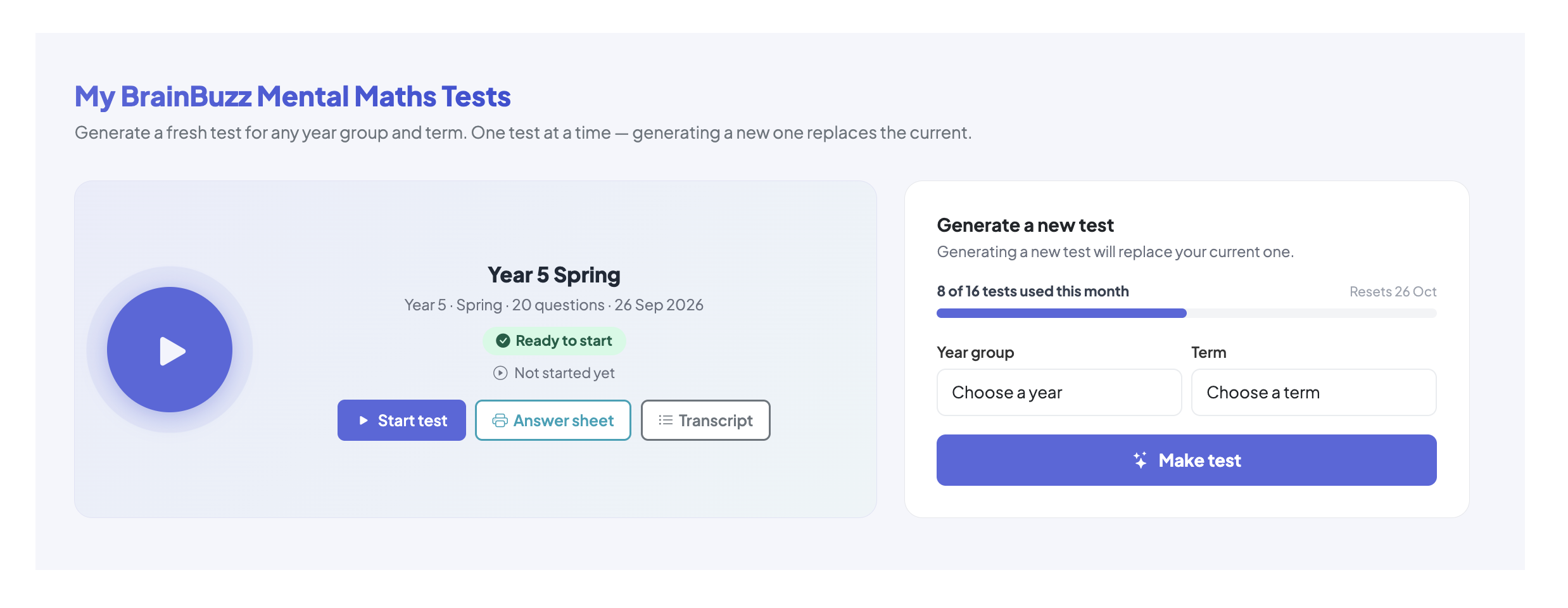
Subscribers can make their own tests: a fresh test for any year group and term, to match what their child is learning at school. Regular practice needs regular new tests.
- Any year group, any term
- A new test whenever you need one
- Tests shared across your children
Ready to make your own tests?
Subscribe to generate tests for any year group and term. Choose a plan and you can start straight away.
Accessing the tests
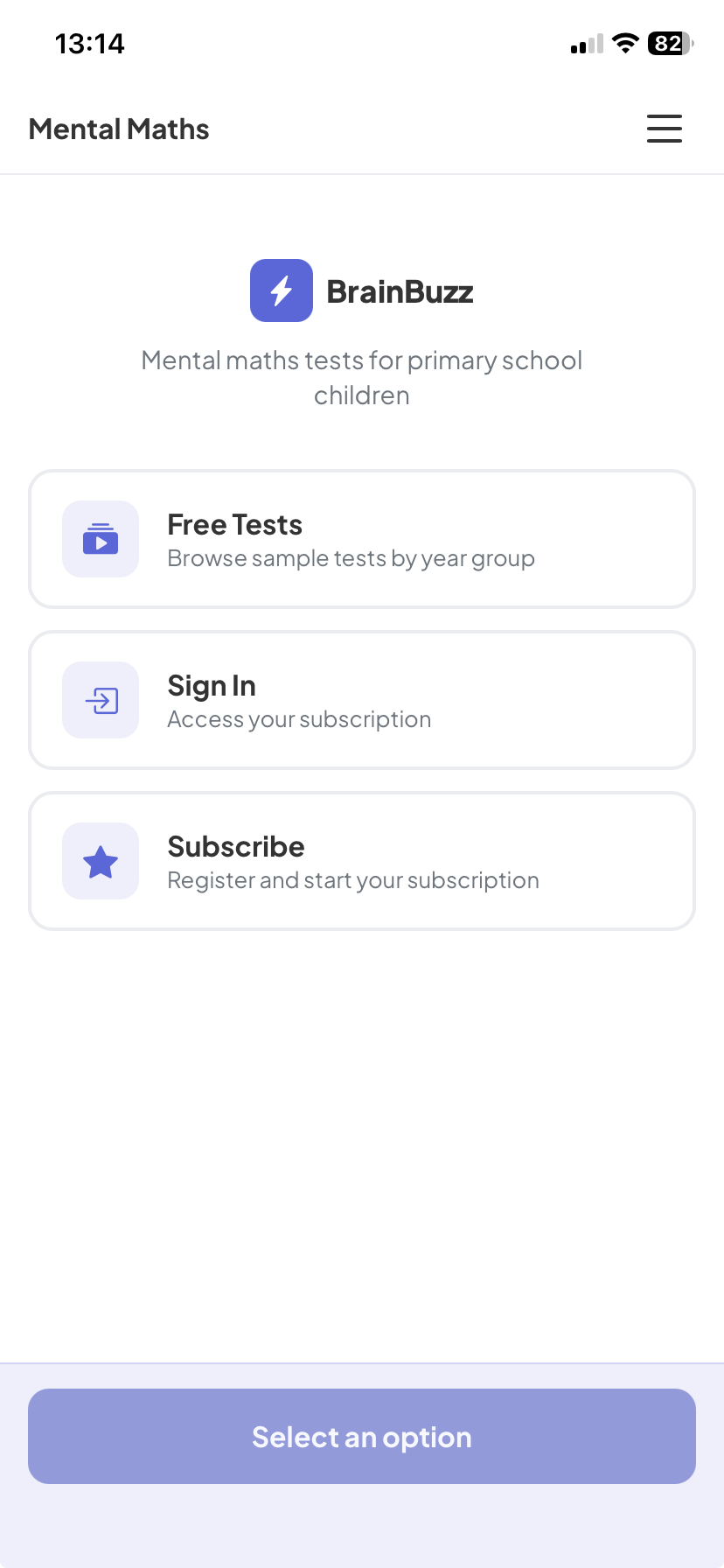
Use BrainBuzz in your web browser, or save it to your phone's home screen to use it like an app.
Works in any browser
Open BrainBuzz in your browser on a computer, tablet or phone. The free tests need no account. Log in to make your own tests.
- Nothing to download or install
- Works on computers, tablets and phones
Save it to your home screen
Add BrainBuzz to your home screen and it opens full screen like an app, with a simpler layout that has just what your child needs. It isn't in the app stores yet, so this takes a few taps.
iPhone / iPad
- Open brainbuzz.co.uk/app in Safari
- Tap the Share button
- Choose Add to Home Screen
- Tap Add. The BrainBuzz icon appears on your home screen
Android
- Open brainbuzz.co.uk/app in Chrome
- Tap the menu button (three dots)
- Choose Install app, or Add to Home screen
- Confirm. The BrainBuzz icon appears on your home screen
Subscribing takes four steps
Free tests need no account. To make your own tests, subscribe in four steps.
Choose a plan
Pick 1 child, 2 children or family, then monthly or annual.
Create your account
Add your name, email and a password.
Pay securely
Pay by card through Stripe. Cancel any time from your account.
Make a test
Log in, choose a year group and term, and generate your first test.
Choose a plan
One subscription covers every year group. The free tests stay free.
2 Children
Want the full details?
The guide covers how tests work, your account and the home screen app.